
⚡ Free Online Utility
Need to PDF to PDF/A Converter right now?

Skip the tutorial and process your documents directly in your browser with zero file uploads, no sign-up, and 100% privacy.

Convert PDF to PDF/A Free →
Tool Walkthroughs 5 min read Updated September 2026

Complete Step-by-Step Guide: Converting Standard PDFs to PDF/A

Standardize electronic records for government archives, legal e-filing, and library preservation under ISO 19005-1/2/3 specifications.

Rahul Das
Rahul Das
Lead Document Systems Architect
← Back to Guides
Key Takeaways & Summary
  • ✓ Converts standard PDFs to ISO 19005-1 Level B (PDF/A-1b) archival standard.
  • ✓ Embeds all referenced system font subsets and standardized sRGB ICC color profiles.
  • ✓ Strips non-compliant dynamic code including JavaScript, Flash, and external hyperlinks.
Interactive WebAssembly Tool

Ready to use this tool now?

Execute operations 100% locally in your browser with zero file uploads and instant results.

Open PDF TO PDFA →

Step-by-Step Operational Instructions

Follow the verified workflow below to operate the QuickRectify Complete Step-by-Step Guide: Converting Standard PDFs to PDF/A engine with complete precision and security.

1

Upload the Document to PDF/A Converter

Open the PDF to PDF/A tool and upload your standard PDF. The validator inspects existing font embedding tables and color profile intents.
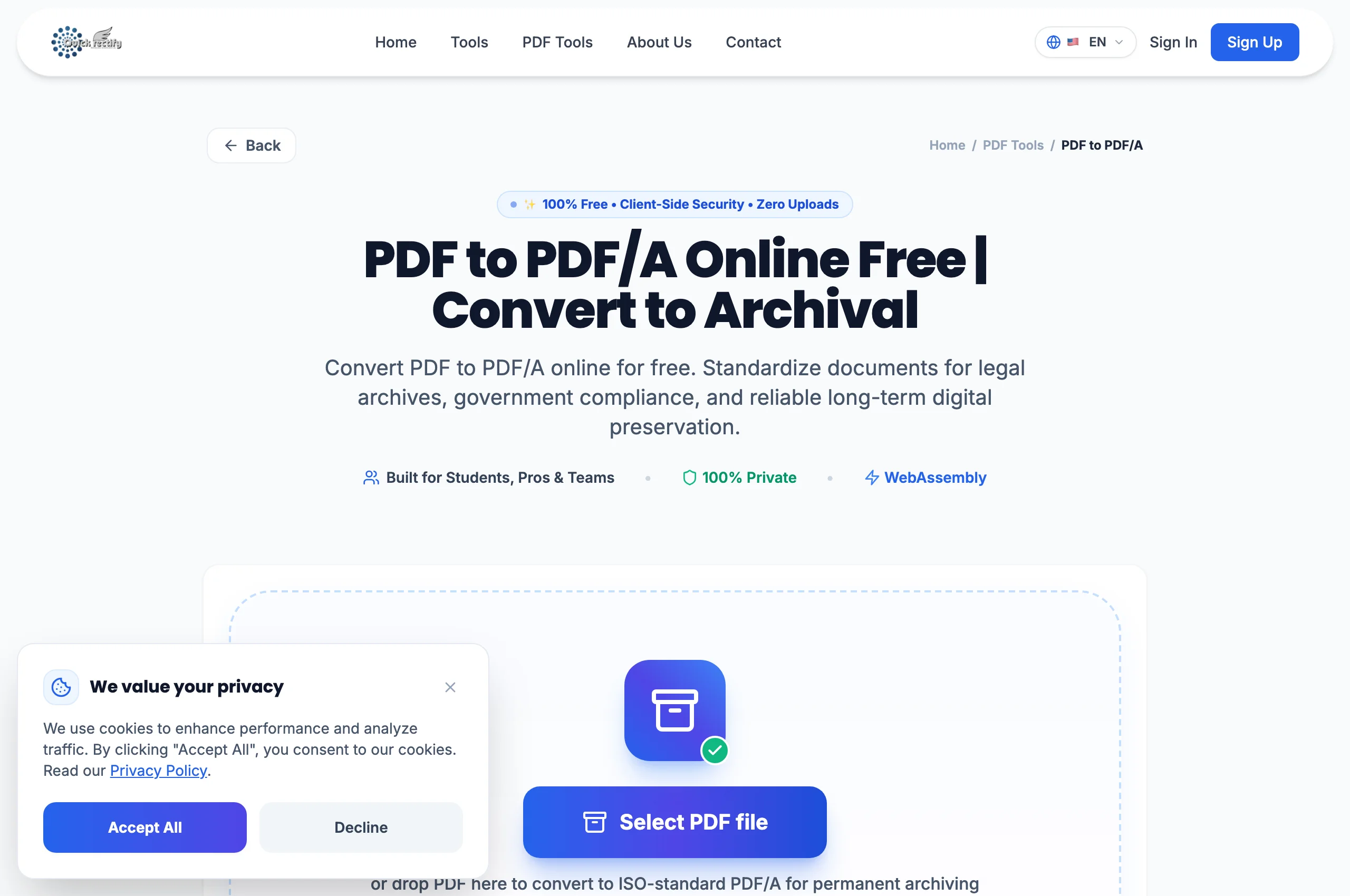
PDF/A conversion suite and ISO compliance pre-flight checker.
Figure 1: PDF/A conversion suite and ISO compliance pre-flight checker.
⚠
Pro Tip: Courts and patent offices (like PACER and USPTO) require PDF/A for electronic docketing.
2

Apply ISO 19005-1 Level B Conformance

The engine normalizes device-independent colors using an embedded sRGB ICC profile and verifies OutputIntent dictionaries for long-term visual fidelity.

Selecting ISO 19005-1 compliance profile and color space intent.
Figure 2: Selecting ISO 19005-1 compliance profile and color space intent.
⚠
Pro Tip: Documents with non-embeddable proprietary fonts are rejected with an informative error rather than generating false compliance.
3

Sanitize Streams and Download Archival PDF

Click "Convert to PDF/A". The engine embeds the required ICC output profile, injects XMP archival metadata schemas, validates Unicode mappings, and downloads the compliant file.

ISO-compliant PDF/A-1b document generated and validated for long-term storage.
Figure 3: ISO-compliant PDF/A-1b document generated and validated for long-term storage.
⚠
Pro Tip: When opened in Adobe Acrobat, a blue notification bar will confirm "This file claims compliance with the PDF/A standard".

Troubleshooting Common Operational Issues

• Why does PDF/A conversion disable audio/video clips in my document?

ISO 19005 strictly prohibits multimedia and executable scripts to guarantee that the document will remain viewable 50+ years in the future.

Security & Client-Side Sandbox Guarantee

Zero-Knowledge Processing Architecture

Your file is sent to our server over HTTPS for conversion and deleted as soon as it finishes. We don't keep copies of your documents.

Direct Access

Launch How to Convert PDF to PDF/A for Archival Compliance | QuickRectify

Open Tool →
Verified Answers

Frequently Asked Questions

Does converting to PDF/A increase file size?

Slightly, because complete font glyph subsets and the standardized ICC color profile are permanently embedded into the document file stream.

QuickRectify In-Browser Engine

Ready to Take Action on Your Documents?

Experience zero-upload client-side WebAssembly processing. Convert, compress, merge, and edit with guaranteed privacy.

Free Online Utility: PDF to PDF/A Converter

Convert PDF to PDF/A Free →